
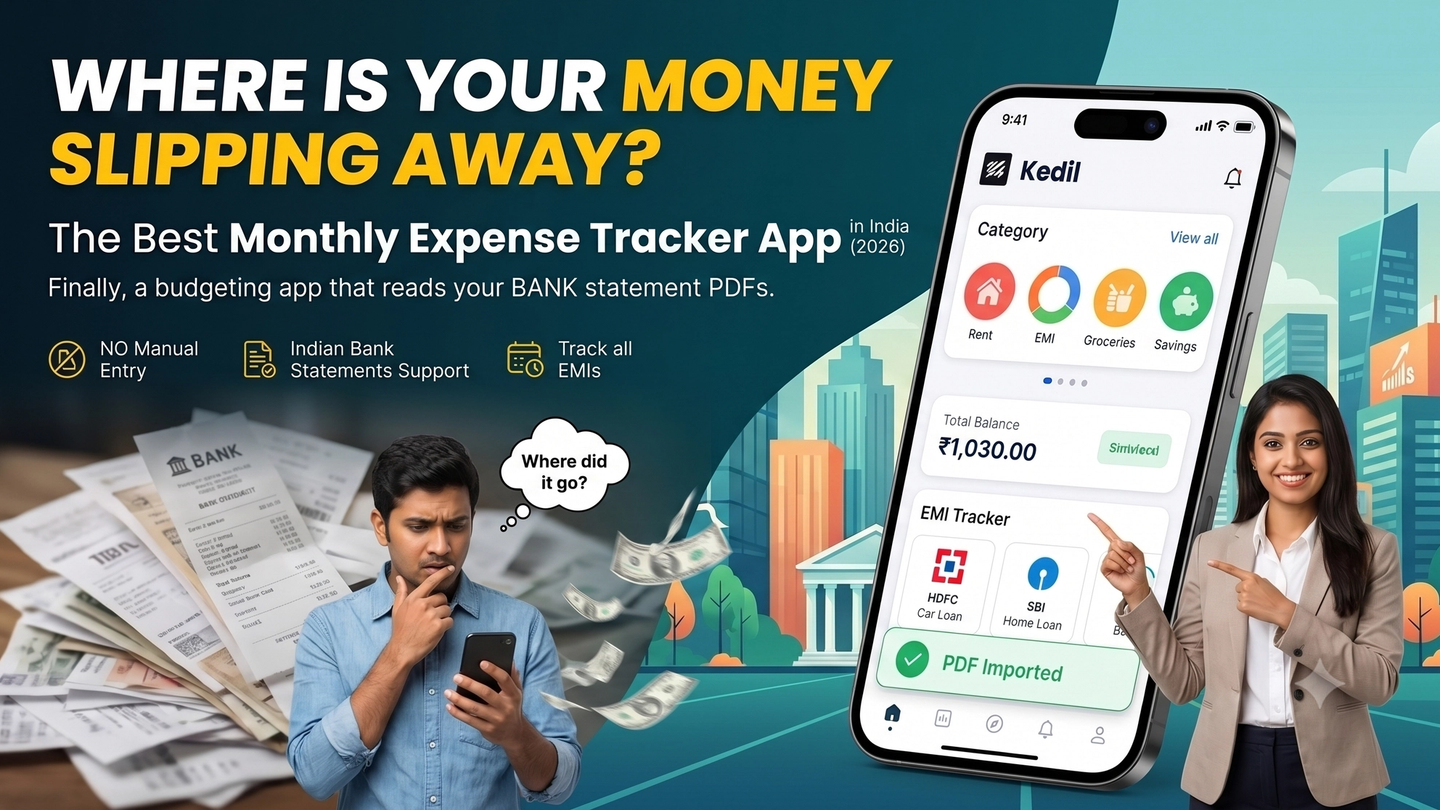
Where Is Your Money Slipping Away? The Best Monthly Expense Tracker App in India (2026)
You know roughly where your salary goes. Rent. EMIs. Groceries. That subscription you forgot about. But "roughly" isn't the same as knowing — and the gap between the two is where money disappears.
Most salaried Indians manage 3–5 financial commitments at once: a home loan, a car loan, maybe a personal loan, a handful of subscriptions, and day-to-day household expenses. Without a clear picture of all of it in one place, you're always one month behind on your own finances.
Kedil is a personal budgeting app built for exactly this situation. It imports your bank statement PDF directly, categorises your transactions automatically, and consolidates all your EMIs in one dashboard — no spreadsheets, no manual entry, no bank login sharing.
Here's what makes it the right expense tracker for salaried Indians in 2026.
1. PDF Bank Statement Import — No Credentials, No CSV
Most expense tracker apps ask you to either connect your bank account directly or convert your statement to CSV before importing. Kedil does neither.
You download your bank statement as a PDF — something every Indian bank supports — and upload it. Kedil reads it. Your transactions show up categorised. That's the entire flow.
No bank login credentials are shared. No third-party access to your account. No CSV conversion in Excel before you can even start. Just a PDF you already have on your phone.
This matters for one simple reason: most Indians are not comfortable linking their bank account to a third-party app. PDF import removes that barrier entirely while giving you the same result — your full transaction history, automatically processed.
2. Consolidated EMI Tracking — All Loans in One View
UPI recorded 21.7 billion transactions in a single month in January 2026, per NPCI data — and yet the one thing most salaried Indians struggle to track isn't UPI spending. It's EMIs.
Home loan with SBI. Car loan with HDFC. Personal loan with Bajaj Finance. Three different apps, three different due dates, three different outstanding balances. You probably know each one individually. But do you know your total monthly EMI outflow as a percentage of your take-home?
Kedil consolidates all of it. Add each loan once — amount, tenure, interest rate — and Kedil calculates your total monthly EMI obligation automatically. If your take-home is ₹75,000 and your combined EMIs are ₹22,500, that's 30% of your salary committed before you've paid for groceries or rent. Seeing that number clearly changes how you plan the rest of the month.
If you want a structured way to allocate your salary across EMIs, savings, and expenses, the salary budget calculator shows you exactly how much is left after your fixed commitments.
3. Automatic Transaction Categorisation
Once your bank statement is uploaded, Kedil categorises every transaction — groceries, fuel, dining, utilities, subscriptions, EMI debits, transfers — without manual tagging.
This is where most people hit the wall with manual expense trackers: the discipline required to log every transaction doesn't survive week two. Kedil removes that friction. The data is already in your bank statement. It just needs to be read and organised — which is exactly what Kedil does.
You can review categories, adjust where needed, and see a clean monthly breakdown of where your salary actually went.
4. Built for Indian Bank Statements
Indian bank statements — from SBI, HDFC, ICICI, Axis, Kotak — have their own formats, transaction description styles, and layouts. A generic PDF parser designed for US or UK banks won't handle them cleanly.
Kedil is built specifically for Indian bank statement formats. The transaction extraction is designed around how NACH debits, UPI transfers, IMPS payments, and EMI debits actually appear in Indian bank PDFs — not how they appear in a hypothetical global standard.
If you've ever tried importing an Indian bank statement into a generic tool and ended up with garbled descriptions or missed transactions, this is why Kedil exists. Kedil's PDF import is built around the specific format quirks of Indian bank PDFs — not a generic global parser.
5. Subscription and Recurring Expense Detection
Subscriptions are where the slow leaks happen. Netflix, Spotify, Amazon Prime, Swiggy One, some SaaS tool you signed up for six months ago and forgot. Each one is small individually. Together, they're a meaningful line item.
Kedil flags recurring charges from your statement automatically — same amount, same merchant, month after month. You see the full list in one place. No hunting through three months of statements to figure out what's actively billing you.
For a broader look at managing fixed obligations, the 50-30-20 rule for salaried Indians explains how to split salary across needs, wants, and savings — with EMIs and subscriptions in context.
Who Kedil Is Built For
Kedil is built for salaried professionals in India — specifically people who:
- Have 2 or more active EMIs running simultaneously
- Get their salary credited to a bank account (not cash)
- Want to track expenses without logging every transaction manually
- Are not comfortable linking their bank account to a third-party app
- Have tried Excel or Google Sheets for budgeting and given up
If you're a student, a freelancer billing clients, or someone primarily tracking investments — Kedil isn't built for that use case. There are better tools for those needs.
FAQ
Does Kedil access my bank account directly?
No. Kedil never connects to your bank account. You upload a PDF bank statement — a file on your phone — and Kedil reads it. No credentials, no bank login, no third-party account access.
Which banks does Kedil support?
Kedil supports all major Indian banks — SBI, HDFC, ICICI, Axis, Kotak, Bank of Baroda, and others. If your bank issues a PDF statement (all Indian banks do), Kedil can process it.
Do I need to enter my transactions manually?
No. Kedil extracts transactions from your PDF automatically. You don't need to type anything in — just upload the statement.
Is Kedil free?
Yes. Kedil is free during early access. No credit card required to start.
Can I track multiple bank accounts?
Yes. Upload statements from multiple banks and Kedil consolidates them into a single expense view — useful if your salary goes into one account and EMI debits come from another.
Stop Guessing. Start Knowing.
The 25th-of-the-month dread — when you check your balance and it's lower than it should be — isn't a willpower problem. It's a visibility problem.
Kedil gives you visibility. Upload your bank statement PDF, see every transaction categorised, see your total EMI obligation, see exactly where your salary went. No bank login. No manual entry. No spreadsheet.
**Try Kedil free — kedil.money**